Every Image Has a Prompt.
Discover the visual language behind every image. Transform visual references into detailed, ready-to-use prompts with AI.
One image, read like a drawing.
Every result is built in three movements. The image is captured, a vision model reads it through five lenses, and the readings are composed into a single prompt.
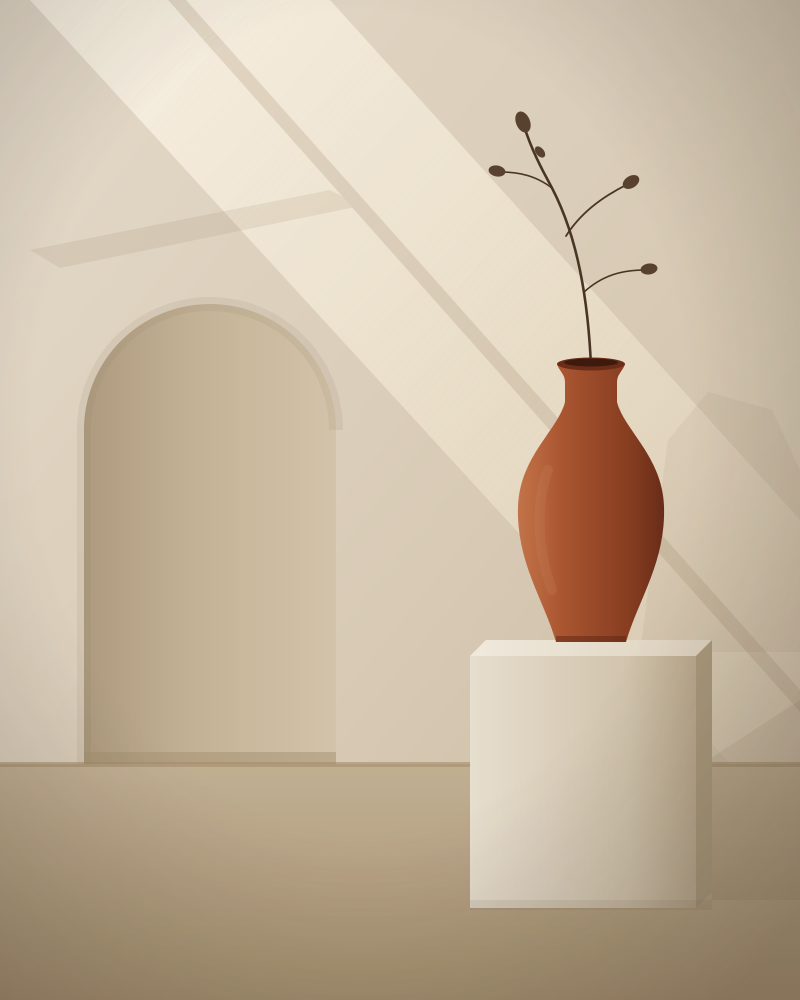
- A matte terracotta amphora with a narrow neck and a softly weathered surface, holding a single dried stem with five small seed heads, standing upright on a pale limestone plinth.
- Eye-level medium shot. The vase and plinth sit on the right third; an arched wall niche balances the left, with generous negative space above.
- Minimalist still-life photograph in a muted earth palette of sand, clay and stone, with fine film grain and soft, even focus.
- Low, warm sunlight from the upper left draws a soft diagonal beam across the plaster wall and throws gentle shadows to the right.
- Calm and contemplative — the empty niche and slow, slanting light suggest a quiet late afternoon.
A minimalist still-life photograph of a matte terracotta amphora holding a single dried stem with small seed heads, standing on a pale limestone plinth on the right third of the frame. An arched niche is set into a warm plaster wall on the left, leaving generous negative space above. Low late-afternoon sunlight enters from the upper left, drawing a soft diagonal beam across the wall and casting gentle shadows to the right. Muted palette of sand, clay and stone, fine film grain, soft matte textures, eye-level medium shot, calm and contemplative atmosphere.
Three movements. No tab switching.
Everything happens in a floating card on the page you're already on — and it stays open when you click away.
-
Choose
Right-click any image and pick Analyze with Image to Prompt — or click the toolbar icon and drag across any region of the tab.
-
Read
A vision model studies the image and separates what it sees into subject, composition, style, lighting and mood — each kept to its own field.
-
Use
Copy the finished prompt — or the structured JSON — in one click. Every result is saved to your history.
Small tool, sharp output.
Prompts work in Midjourney, Stable Diffusion, DALL·E, Flux or any text-to-image model.
- A
Right-click analysis
Any image on any page, straight from Chrome's context menu.
- B
Region select
Click the toolbar icon and drag across anything visible in the tab — frames, canvases, layouts.
- C
Prompt and JSON
A paste-ready paragraph for image models, plus structured JSON for your own tools and pipelines.
- D
History
Every analysis is saved to your account, ready to revisit and copy again.
Four steps, one minute.
Image to Prompt is distributed directly rather than through the Web Store, so it installs with Chrome's developer mode.
- Version
- 0.1.0
- Browser
- Chrome 116 or later
- Package
- .zip, under 100 KB
- Account
- Google sign-in, free credits
-
Download the zip
Get image-to-prompt.zip from the latest release.
-
Unzip it to a folder you'll keep
Chrome loads the extension from that folder, so don't delete it afterwards.
-
Turn on Developer mode
Open
chrome://extensionsand flip the switch in the top-right corner. -
Load unpacked
Click Load unpacked, choose the unzipped folder, then pin it from the puzzle-piece menu.
Built like a product, not a prototype.
A Manifest V3 extension talking to a typed Fastify API — with credits that can't be double-spent and AI calls that refund themselves when they fail.
- Extension
- Chrome MV3/React 18/TypeScript/Vite + CRXJS/TanStack Query
- Backend
- Node 20/Fastify 5/Prisma 5/Zod/JWT/pino
- Data & AI
- PostgreSQL 16/OpenRouter/Google Gemini
- Infrastructure
- Docker/Render Blueprint/Neon/GitHub Actions/GitHub Pages/Vitest